
Thermal receipts look simple: a white strip, a dark printhead, and a few seconds of heat. Yet the paper’s coating determines whether a barcode scans cleanly, a receipt stays legible, or an image fades in a sunny car. So, what is thermal paper, and why does choosing the right grade matter in 2026?
Thermal paper is paper coated with heat-sensitive chemicals. A thermal printer applies heat through tiny printhead elements, creating text or images without ink or toner. Direct thermal printing is common in receipts, shipping labels, and queue tickets. It is fast and convenient. But heat, sunlight, friction, and some chemicals can shorten print life. Store a receipt near a warm window, and its black text may darken or disappear. Small details matter.
“Choose for the printer, environment, and record life—not price alone.” This is a practical expert-level buying principle, not a verified quotation from a named specialist. A trustworthy guide should not invent an expert attribution. Before publication, add a sourced quotation from a thermal-paper engineer or manufacturer specialist, with their name and source checked.
This guide explains how to compare paper width, roll diameter, core size, coating quality, and compatibility. It also considers sensitivity, storage conditions, and the intended lifespan of the printed record. In 2026, the cheapest roll may still work for a short-lived ticket. It may be a poor choice for labels handled outdoors or documents customers need to keep. The best option fits the printer and the real conditions—not just the product listing.
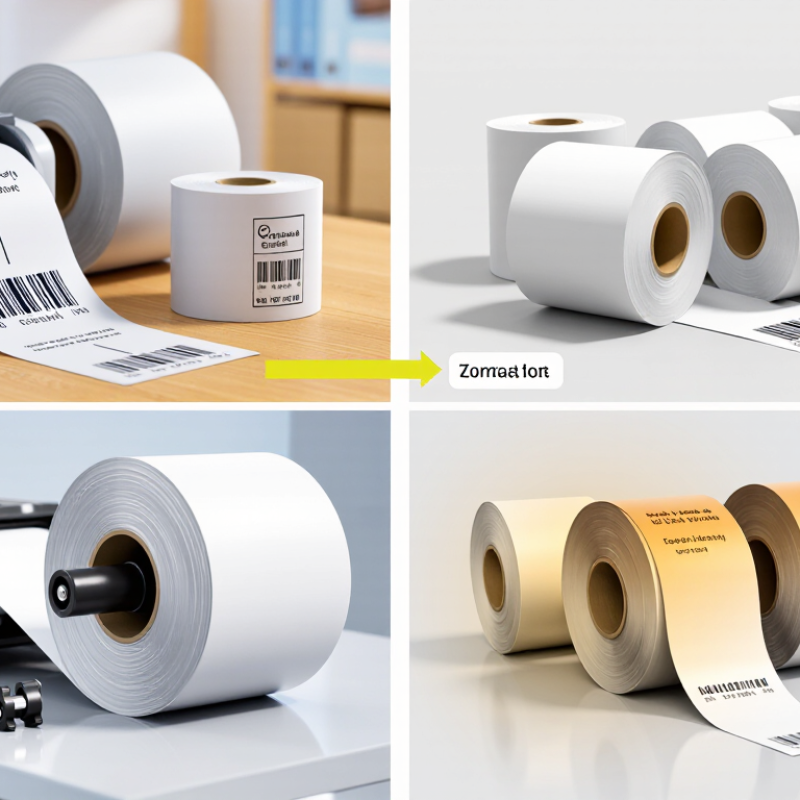
Thermal paper is paper coated with chemicals that create an image when heated. Unlike inkjet paper, it needs no ink cartridge or ribbon. A thermal printer’s heated printhead touches the coating in tiny, controlled points. Heat triggers a reaction between a colorless dye and a developer, darkening those spots into text or barcodes. The image forms directly on the sheet. No ink. Grand View Research estimated the global thermal paper market at about US$4.1 billion in 2023, with projected annual growth of 6.2% from 2024 to 2030. That estimate reflects broad use in receipts, tickets, and labels.
The coating also explains a common drawback: heat, sunlight, oils, and some plastics can fade or discolor prints. A receipt left on a warm dashboard may turn gray before its text becomes hard to read. Not every roll behaves the same. Coating quality, paper thickness, and printer settings all affect sharpness and image life. For a real-world check, print a dense barcode and small text on the intended printer, then inspect both under ordinary handling conditions. I would not choose by price alone; the cheapest roll can produce pale text or uneven edges. Thermal printing is simple, but the chemistry is less forgiving than it looks.
Thermal paper is built from a paper base coated with heat-sensitive chemicals. The coating commonly contains a color-forming dye and a developer. When a printer’s heated printhead touches the surface, the chemicals react and create dark text or images. A protective topcoat may help resist moisture, oils, and scuffing. That layer matters. Its effectiveness varies, so a coated roll is not automatically suitable for every environment.
Common types include standard direct thermal paper, top-coated paper, and papers made for longer image life. Standard grades work well for short-lived receipts and queue tickets. Top-coated grades can better tolerate handling, though they may cost more. Formulations also differ in chemical composition and sensitivity to heat or light. Thermal transfer printing is different: it uses a ribbon to transfer ink onto a label, rather than relying on a heat-reactive coating. This distinction is easy to miss when comparing product descriptions.
Tips: Match the paper to its use. For a receipt stored in a warm car, ask about heat resistance and image stability. For labels, check roll width, core size, and printer compatibility. Keep sample rolls near your actual printer before ordering in bulk. There is no perfect choice; sometimes the specification sheet leaves out useful details.
Thermal paper is most visible at checkout: grocery receipts, café order slips, parking tickets, and queue numbers. A Grand View Research market report estimated the global thermal paper market at about US$4.1 billion in 2023, with point-of-sale use among its major applications. That scale reflects ordinary, repeated tasks. A cashier needs a clear receipt in seconds; a kitchen needs an order ticket that stays readable beside steam and busy hands. Small details matter.
Warehouses and delivery counters use thermal label stock for barcodes, parcel routing, and inventory picking. Depending on the printer, labels may be direct thermal or thermal-transfer compatible, so matching the roll to the machine matters. Transit systems also print tickets, while clinics use thermal recording paper for items such as ECG traces. Worldpay’s 2024 Global Payments Report estimated cash at 16% of global in-store transaction value in 2023; payment method is not the same as receipt demand, but staffed checkouts still need printed records. I still question whether every sale needs a paper slip. Yet when a barcode must scan or a kitchen ticket must survive a rush, paper remains practical.
Choosing thermal paper in 2026 starts with printer compatibility. Check the roll width, core size, and maximum roll diameter against your device’s manual. A roll that almost fits can still feed unevenly. Paper sensitivity matters, too: the wrong coating may produce faint barcodes or overly dark receipts. Match the paper to the printer’s settings and expected print speed.
Tips: Test a small batch first. Print a barcode and fine text, then scan them. Store sample rolls away from sunlight, heaters, and damp areas. Small details matter.
Next, consider how long the print must remain readable. Receipts handled briefly may need different image durability from labels kept in warm storage. Ask for information about fade resistance and storage conditions, and test paper in the environment where it will be used. I would not assume a heavier roll is automatically better; that sounds sensible, but can miss coating performance and printer fit. Also consider paper feel, roll consistency, and whether the supplier can provide clear product specifications. A quick test can reveal issues that a specification sheet cannot.
Thermal paper is coated paper that forms an image when heated by a compatible printer. When choosing it, check printer compatibility, paper width, roll diameter and core size, intended use, and applicable chemical regulations.
Common nominal widths: 58 mm and 80 mm are widely used for receipt rolls, while 100 mm is a common wider format. These are examples, not universal standards—confirm the supported width and roll dimensions in your printer specifications before buying.
Check compatibility before judging print quality. Match the roll width, core diameter, maximum outer diameter, and winding direction to the printer manual. Confirm that the coated, heat-sensitive side faces the printhead. A roll can fit the holder yet feed poorly. Small details matter.
Then test a sample roll on the actual printer. Print a receipt with fine text and a barcode; check sharpness, contrast, and scanning. Rub the print gently, then expose a spare sample to warm light. Fading or smudging may indicate a poor fit for the job. Ask the supplier for coating, thickness, and storage-life specifications, plus material declarations. Paper weight alone does not prove print performance. Grand View Research estimated the global thermal paper market at USD 4.26 billion in 2023 in its Thermal Paper Market Size, Share & Trends Analysis Report. That figure signals broad use, not a quality guarantee. A clean test can still mislead: repeat it with fresh rolls and the printer’s normal speed and darkness settings.
Thermal paper is coated paper that forms an image when heat from a compatible printhead activates its heat-sensitive layer. Specifications vary by printer and application; confirm the printer manual and supplier data sheet before ordering.
| Check | What to Look For | Practical Quality or Compatibility Check | Why It Matters |
|---|---|---|---|
| Printing method | Direct thermal paper for printers that create images by heating the paper; thermal-transfer printers require a ribbon and compatible media. | Check the printer manual or model specifications for the supported printing method. | Direct thermal paper is not a substitute for thermal-transfer media in a ribbon-based setup. |
| Paper width | Match the roll width to the printer’s specified media width. Common receipt formats include approximately 57 mm and 80 mm. | Measure the roll width and compare it with the printer’s media-loading guide. | An incorrect width can cause feeding problems, poor alignment, or printing beyond the usable area. |
| Roll diameter and core | Check the maximum roll diameter and required core diameter or coreless design for the printer. | Compare the roll and core measurements with the printer compartment specifications. | A roll that is too large or has the wrong core may not fit or feed correctly. |
| Basis weight | Receipt paper commonly falls around 48–80 g/m², depending on the product and application. | Confirm the value on the product data sheet; assess whether the sheet feels suitable for the intended handling and dispenser. | Basis weight is one indicator of paper substance, but it does not by itself determine print quality or durability. |
| Caliper (thickness) | Typical thermal receipt papers are often roughly 55–90 μm thick; actual ranges vary by grade. | Use the supplier’s stated caliper and verify that the printer supports the media thickness. | Paper that is too thick or too thin can affect feeding, cutting, and printhead contact. |
| Image darkness | Look for even, dark text and barcodes at the printer’s normal settings, without excessive heat. | Print a test receipt containing small text and a barcode; check for pale areas, streaks, or smudging. | Consistent imaging helps keep receipts readable and machine-readable. |
| Coating uniformity | The heat-sensitive coating should be even, with no visible streaks, bare patches, or rough bands. | Print a solid test pattern and inspect it across the full width of the roll. | Uneven coating can produce blank spots or inconsistent image density. |
| Image and barcode legibility | Printed characters should remain distinct, and barcodes should have clear edges and adequate contrast. | Scan a sample barcode with the intended scanner and inspect fine print under normal lighting. | A printout may look acceptable to the eye but still fail scanning if contrast or edge definition is poor. |
| Image durability | Choose a grade suited to the expected storage time and exposure to light, heat, friction, oils, or plasticizers. | Keep a printed sample under the conditions expected in use and compare it over time; request documented image-life test conditions. | Direct thermal images can fade or darken when exposed to heat, sunlight, abrasion, or certain chemicals. |
| Chemical composition | Check the supplier’s declaration for substances relevant to the intended market and application, such as BPA or BPS. | Request current composition or compliance documentation rather than relying only on a “BPA-free” claim. | Regulatory requirements and customer policies differ by region; a claim about one substance does not describe every chemical in the paper. |
| Storage conditions | Follow the supplier’s recommendations for temperature, humidity, light, and packaging. | Store unused rolls in their original packaging in a cool, dry place away from direct sunlight and heat sources. | Unsuitable storage can cause premature discoloration or reduce image retention. |
| Dust and roll finish | Look for cleanly converted rolls with smooth edges and minimal paper dust or loose fibers. | Inspect the roll edges and printer path after a test run; check for debris or feed irregularities. | Excess dust can contribute to printhead contamination and uneven printing. |
| Adhesive or liner requirements | For labels, verify the face stock, adhesive, liner, and sensor-mark requirements separately from receipt paper. | Confirm label dimensions, gap or black-mark sensing, and adhesive suitability with the printer specifications. | Label media uses additional construction features that ordinary receipt rolls do not provide. |
| Final compatibility test | Test the exact paper grade, roll dimensions, and printer settings before placing a large order. | Run several rolls through the intended printer and check feeding, cutting, print density, barcode scanning, and storage performance. | A small real-world trial is the most reliable way to confirm compatibility across the full workflow. |